Address
Level 8/25 Restwell Street, Bankstown NSW 2200, Australia
Business Hours
Monday to Friday: 10AM - 6PM
Weekend: CLOSED

Run Linux workloads in the cloud with confidence. This practical, self-paced course shows you how to deploy, connect to, configure and manage Linux virtual machines on Azure, covering sizing, storage, networking, security, backup and monitoring. It’s ideal for administrators and engineers with basic Linux and Azure experience.
This intermediate-level course prepares you to deploy and administer Linux virtual machines on Microsoft Azure. You’ll learn to manage VM storage, monitor performance, configure backups, and control access using CLI and role-based access control. The course includes hands-on labs and a guided project to reinforce practical skills. Ideal for administrators with Linux experience, this learning path helps you build confidence in managing cloud-based Linux workloads efficiently and securely.






| Duration | 8 hours |
|---|---|
| Modules | 1 Modules |
| Course type | Microsoft |
| Category | Microsoft |
| Prerequisites | Experience using Azure portal and CLI, Familiarity with identity and access management, Knowledge of Linux operating systems, Experience creating and configuring Azure VMs |
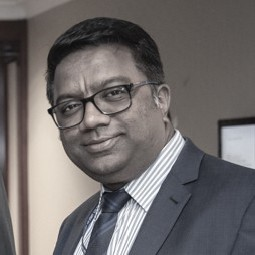
Chandra has a long-standing record of professionalism and integrity in the Vocational and Higher education sectors in Australia spanning over 2 decades. He holds a Master’s Degree in Computer Science and a Bachelor’s degree with Distinction in Information Technology majoring in software engineering, and is also a certified trainer & qualified assessor.
He has served in key roles in various organisations across both the higher education and vocational sectors which include Vice President, Academic Director, Deputy Principal, Director of Studies, Managing Director and Marketing Director. He has also set up and managed his own fully accredited RTO.
Chandra is managing and overseeing the entire operations of The Business School, both onshore and offshore for the VET and ELICOS sectors. Some of these would include marketing, student recruitment, IT, admissions, student support departments as well as coordinating with the Director of Studies and the Academic Manager to ensure competency and quality are maintained across academics, trainers, and teachers.
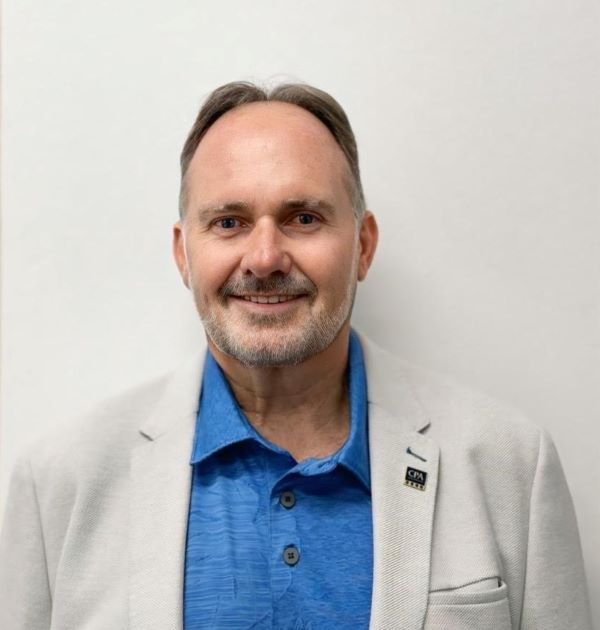
Christopher is a future-focused educator and global business leader committed to reshaping how people learn, upskill and succeed. Driven by innovation, he combines technology, digital learning design and real-world industry insight to build powerful, future-ready education solutions.
As Director General of the World Certification Institute and an experienced Company Director, he leads international initiatives that set global standards, strengthen professional capability, and open new pathways for learners across Asia and beyond. His work bridges education and enterprise — helping organisations transform their workforce and individuals gain the skills and confidence to thrive in a changing world.
With qualifications including BCom, GradDipEd, MBA, FCPA, WCMP and FWCI, I bring deep expertise in business strategy, financial governance and competency-based learning.
Christopher is passionate about using technology to enhance the learning journey, create equitable access to skills, and promote lifelong learning for all.
Our mission is simple: to empower people with the knowledge, tools and opportunities they need to succeed — today and into the future.
For any further details, please fill in the enquiry form below to reach us.
Have a question about this course? Complete the form below and our team will be in touch to assist with your enquiry.
Enquiry received
Your enquiry has been submitted successfully.
Our team will be in touch to assist with your enquiry.
You can now close this window.





Reviews
There are no reviews yet.