Address
Level 8/25 Restwell Street, Bankstown NSW 2200, Australia
Business Hours
Monday to Friday: 10AM - 6PM
Weekend: CLOSED
Level 8/25 Restwell Street, Bankstown NSW 2200, Australia
Monday to Friday: 10AM - 6PM
Weekend: CLOSED
Select the provider you purchased from and we will show the matching login and setup guide.

Allow up to 2 business days after purchase for our staff to create your LMS credentials and email them to you.
Log in to DeL LMSUse this access option for DeL-hosted courses and courses delivered directly through the DeL learning platform.
Setup guide

Allow up to 2 business days after purchase for our staff to create your LMS credentials and email them to you.
Log in to CP's Photography LMSUse this access option for CP's Photography courses hosted through DeL LMS.
Setup guide

Allow up to 2 business days after purchase for our staff to create your LMS credentials and email them to you.
Log in to iSport LMSUse this access option for iSport courses hosted through DeL LMS.
Setup guide

Use this access option for AI CERTs certification courses. AI CERTs hosts its courses on its own learner platform.
Setup guide

Use this access option for SIPMM-delivered professional certification courses. SIPMM uses its own learning platform.
Setup guide


Chandra has a long-standing record of professionalism and integrity in the Vocational and Higher education sectors in Australia spanning over 2 decades. He holds a Master’s Degree in Computer Science and a Bachelor’s degree with Distinction in Information Technology majoring in software engineering, and is also a certified trainer & qualified assessor.
He has served in key roles in various organisations across both the higher education and vocational sectors which include Vice President, Academic Director, Deputy Principal, Director of Studies, Managing Director and Marketing Director. He has also set up and managed his own fully accredited RTO.
Chandra is managing and overseeing the entire operations of The Business School, both onshore and offshore for the VET and ELICOS sectors. Some of these would include marketing, student recruitment, IT, admissions, student support departments as well as coordinating with the Director of Studies and the Academic Manager to ensure competency and quality are maintained across academics, trainers, and teachers.
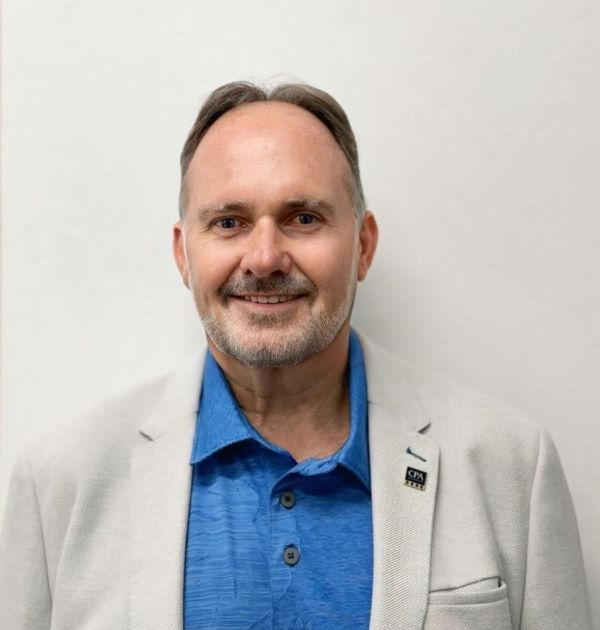
Christopher is a future-focused educator and global business leader committed to reshaping how people learn, upskill and succeed. Driven by innovation, he combines technology, digital learning design and real-world industry insight to build powerful, future-ready education solutions.
As Director General of the World Certification Institute and an experienced Company Director, he leads international initiatives that set global standards, strengthen professional capability, and open new pathways for learners across Asia and beyond. His work bridges education and enterprise — helping organisations transform their workforce and individuals gain the skills and confidence to thrive in a changing world.
With qualifications including BCom, GradDipEd, MBA, FCPA, WCMP and FWCI, I bring deep expertise in business strategy, financial governance and competency-based learning.
Christopher is passionate about using technology to enhance the learning journey, create equitable access to skills, and promote lifelong learning for all.
Our mission is simple: to empower people with the knowledge, tools and opportunities they need to succeed — today and into the future.